Personal energy trader
Sungrow SH
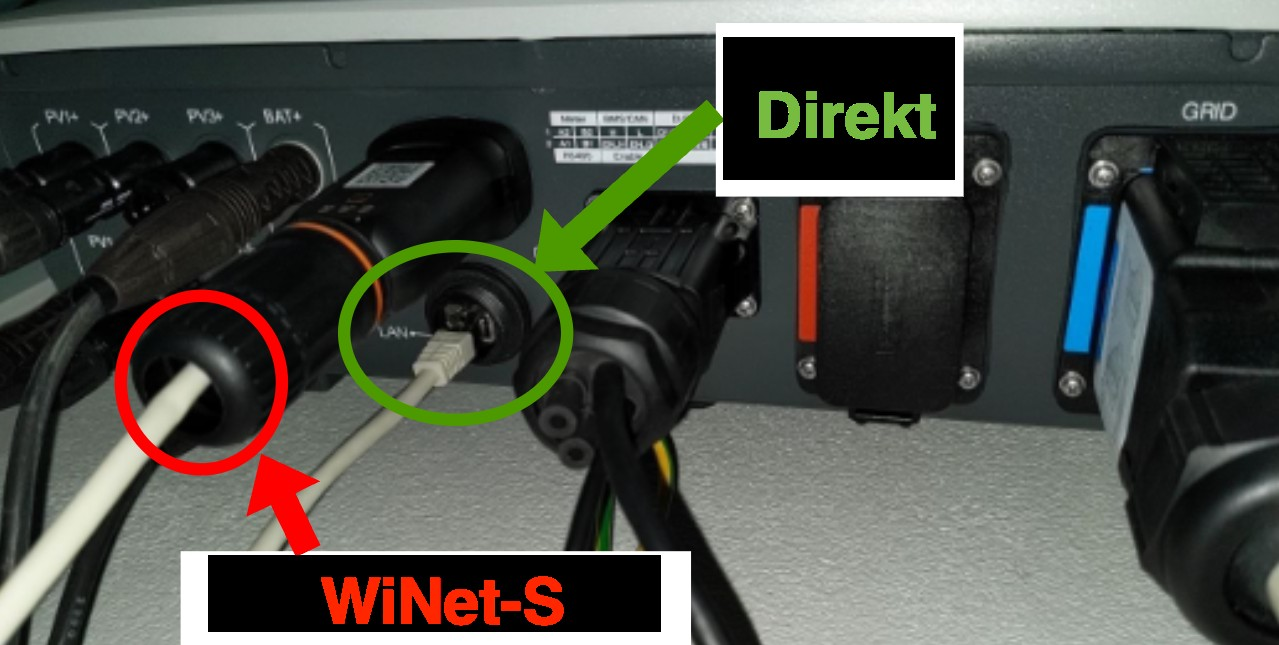
Modbus TCP for Sungrow currently only works through the WiNet-S communication module (over Ethernet or Wi-Fi). If you connect directly to the inverter, Spotpilot will not be able to find it. The screenshots are from the Swedish interface.
- 1
Make sure your network is connected to the WiNet-S module — not directly to the inverter, as shown below.
- 2
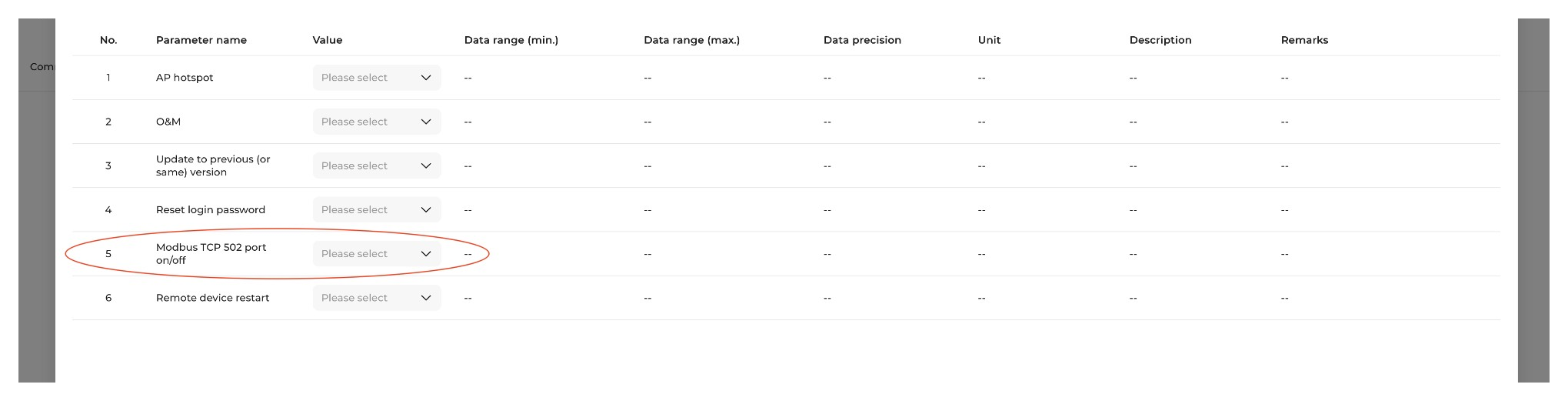
In iSolarCloud, choose “Communication module” from the device list, select your “WiNet-S”, then go to Settings → Common settings. At “5. Modbus TCP 502 port on/off” choose “Open”, then tap “Apply settings” at the bottom.