Personal energy trader
Huawei SUN2000
This guide shows how to enable Modbus TCP in Huawei FusionSolar so that Spotpilot can communicate with your inverter. The screenshots are from the Swedish interface.
- 1
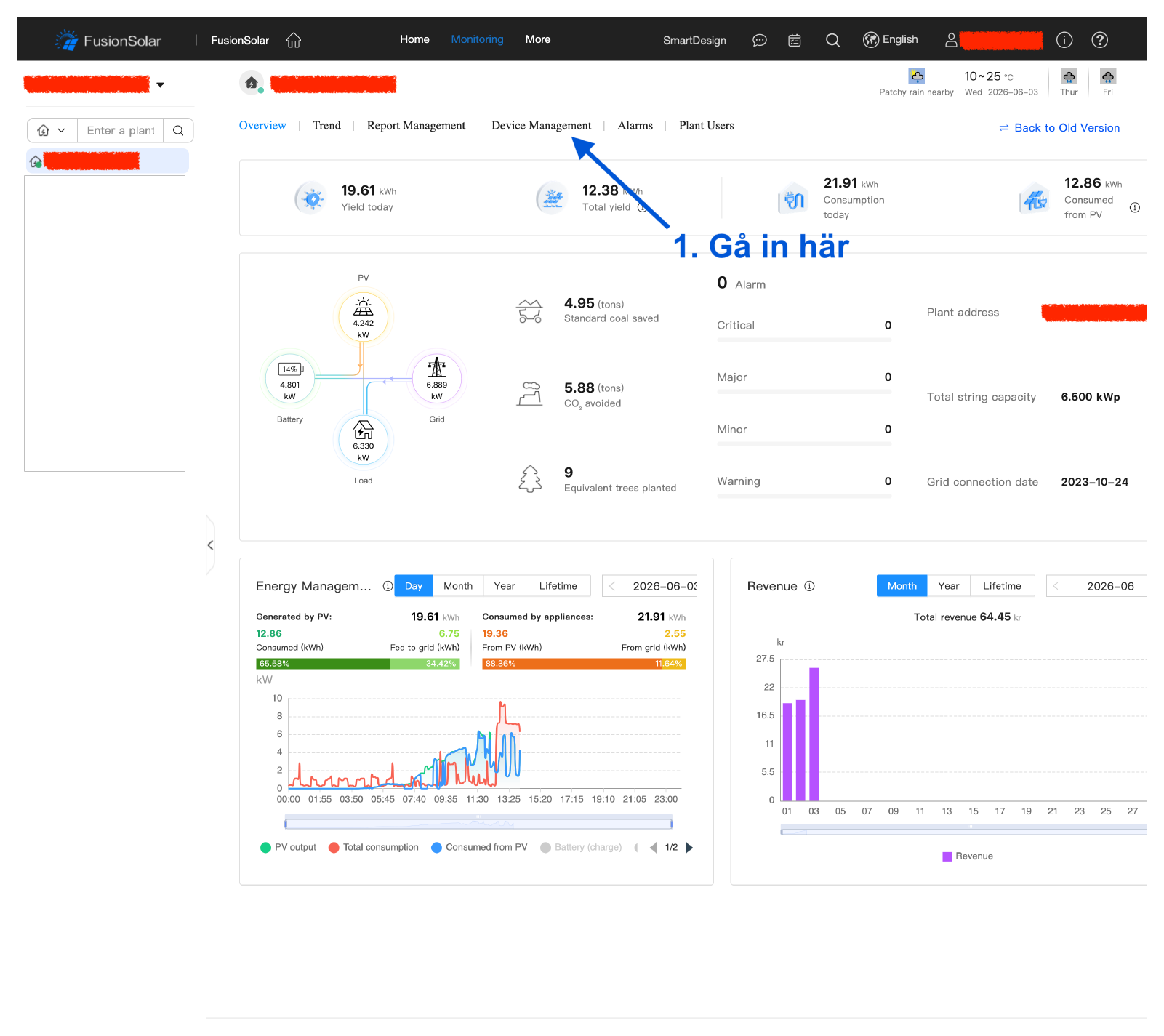
In FusionSolar, open Monitoring and go to “Device Management”.
- 2
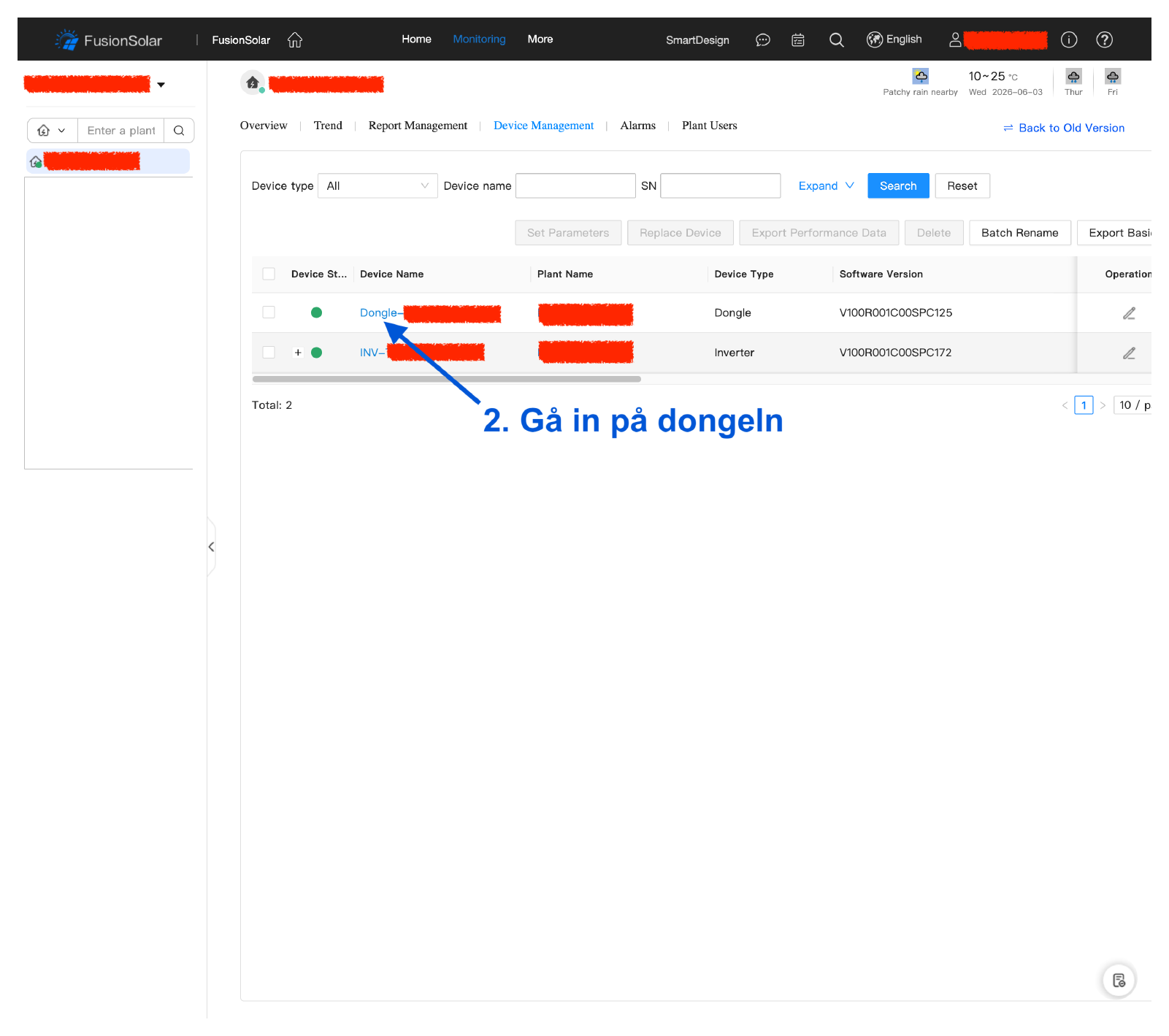
In the device list, open the dongle.
- 3
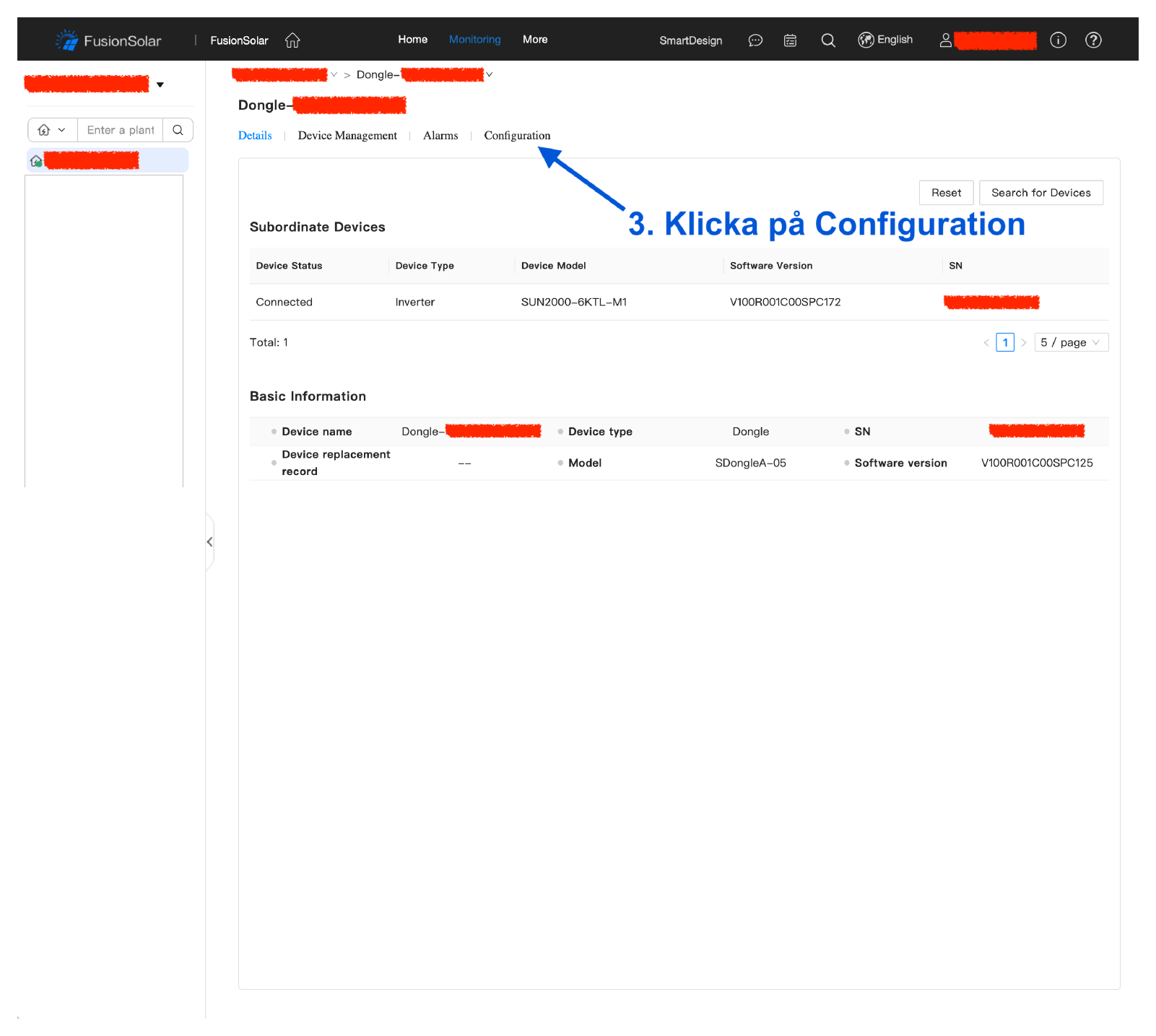
Click the “Configuration” tab.
- 4
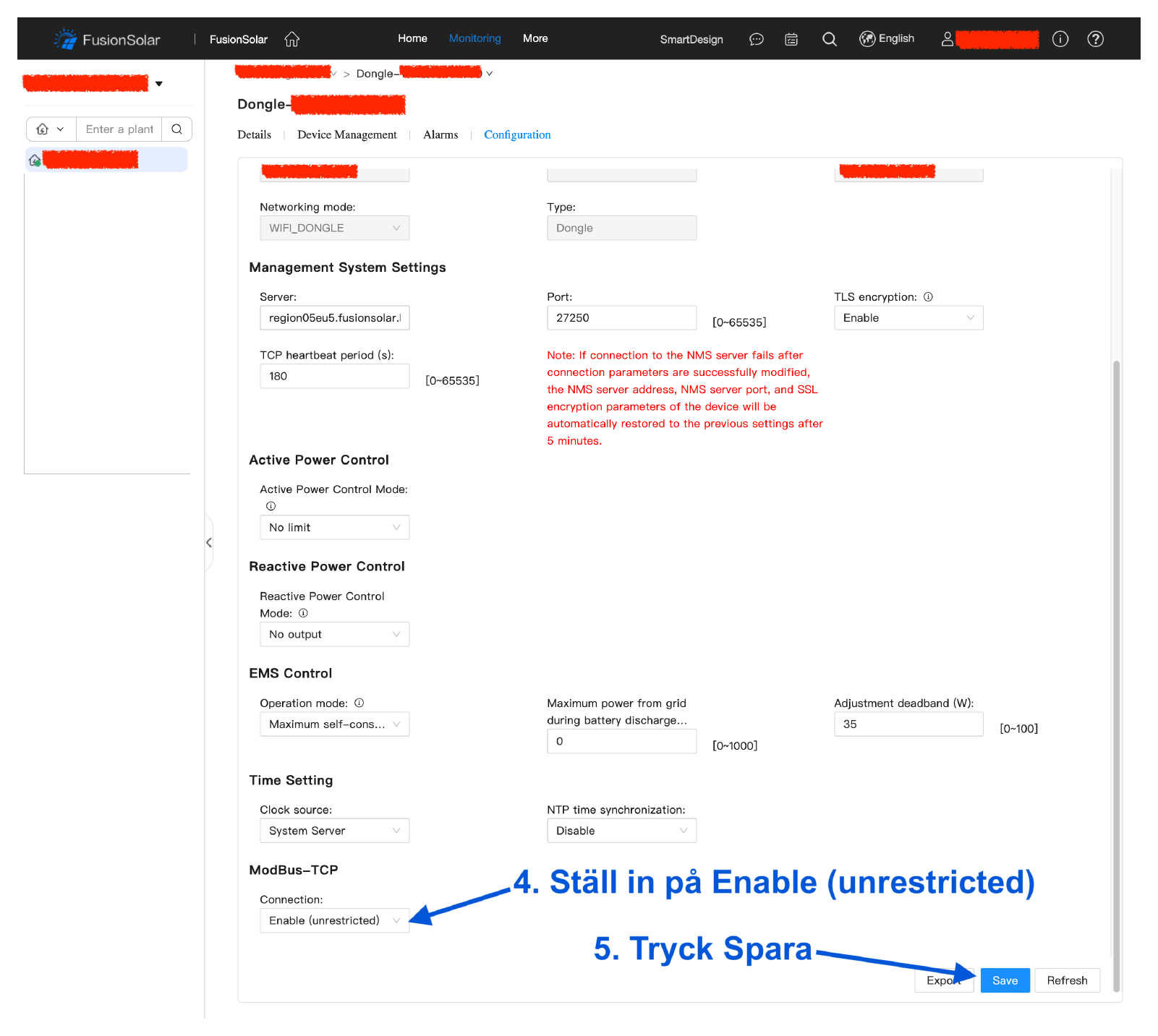
Scroll down to “ModBus-TCP”, set Connection to “Enable (unrestricted)” and press Save.