Personal energy trader
GoodWe ET
This guide shows how to enable Modbus TCP in the GoodWe SolarGo app so that Spotpilot can communicate with your inverter. The screenshots are from the Swedish interface.
- 1
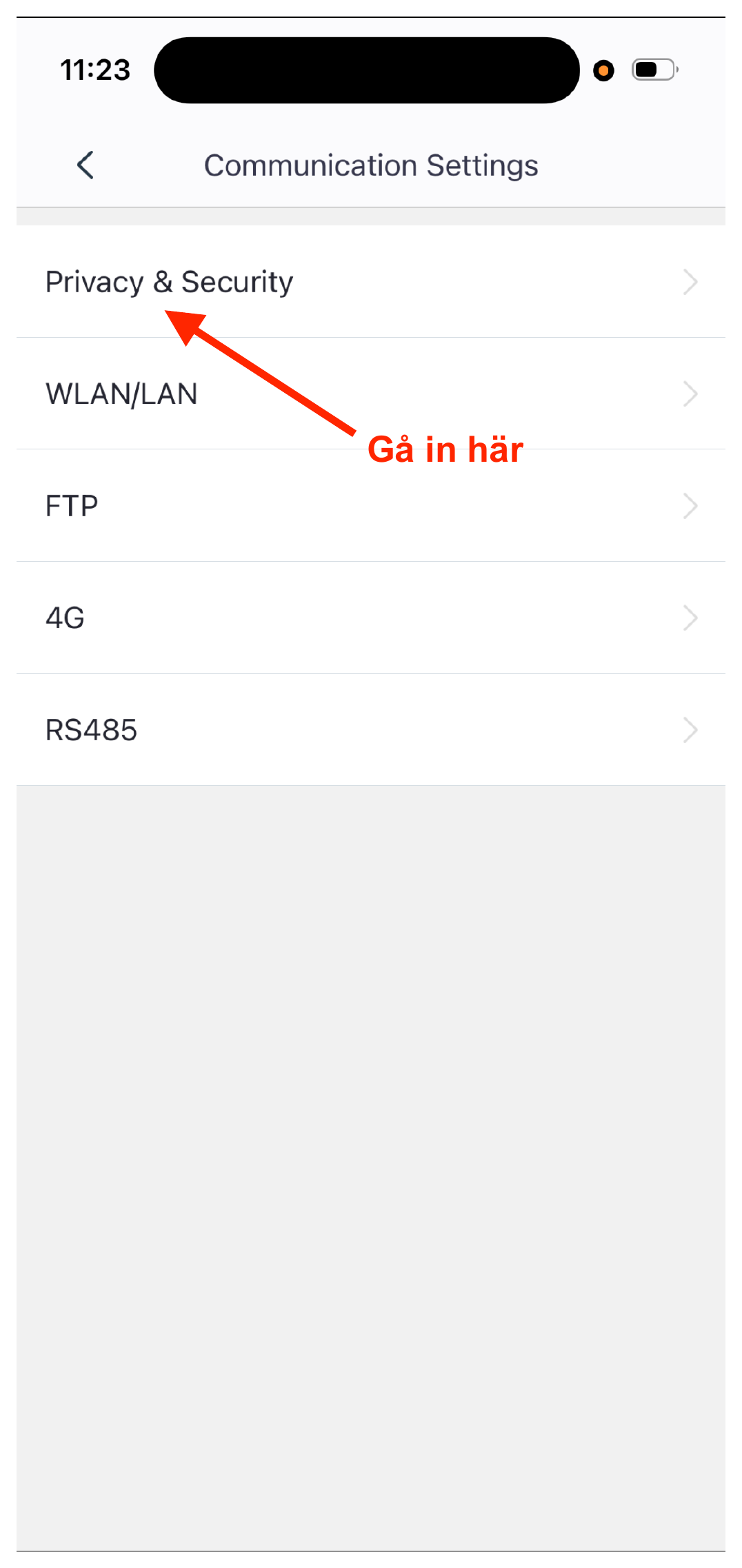
In the SolarGo app, open Settings and tap “Communication Settings”.
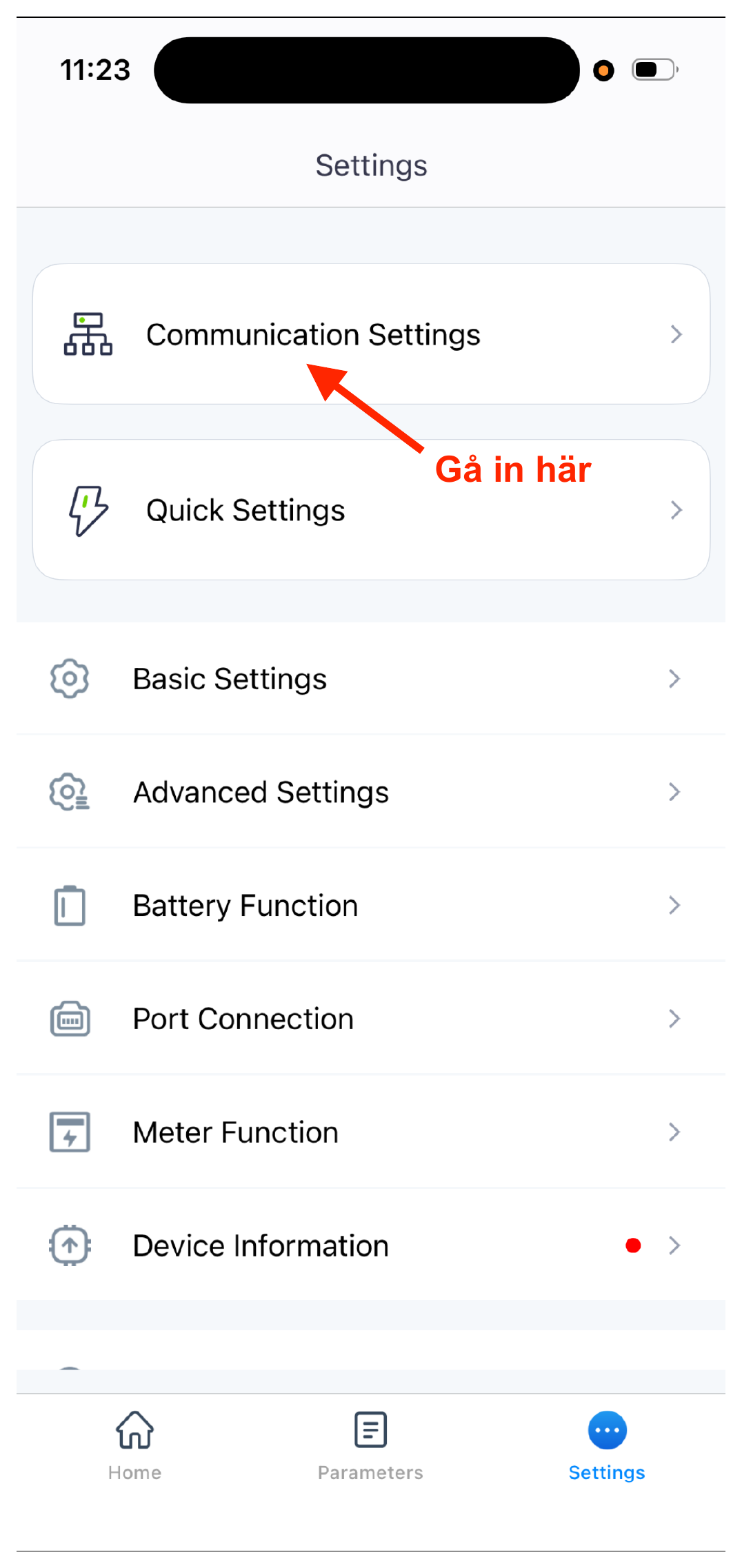
- 2
Tap “Privacy & Security”.
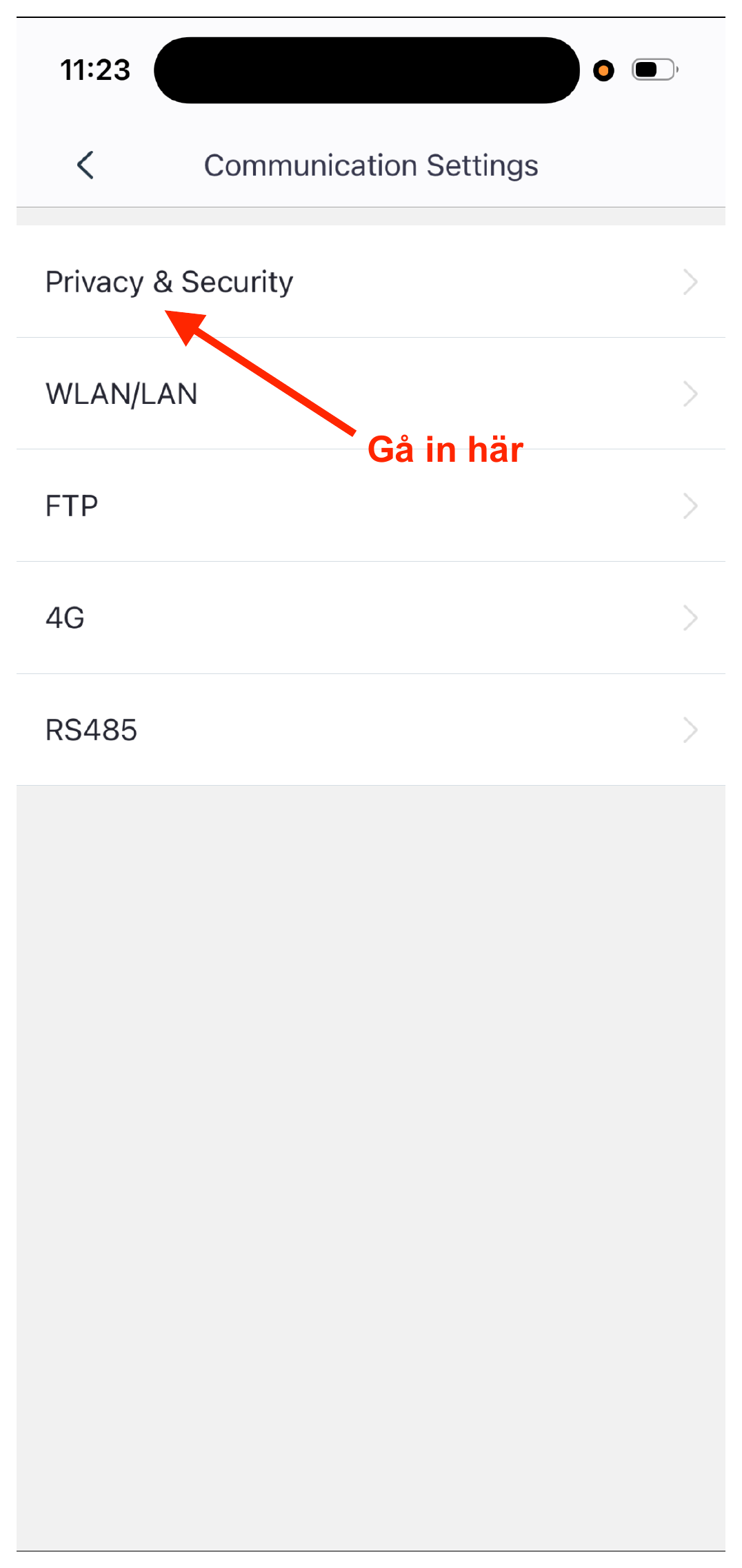
- 3
Make sure “Modbus TCP” is turned on, then go back to the previous screen.
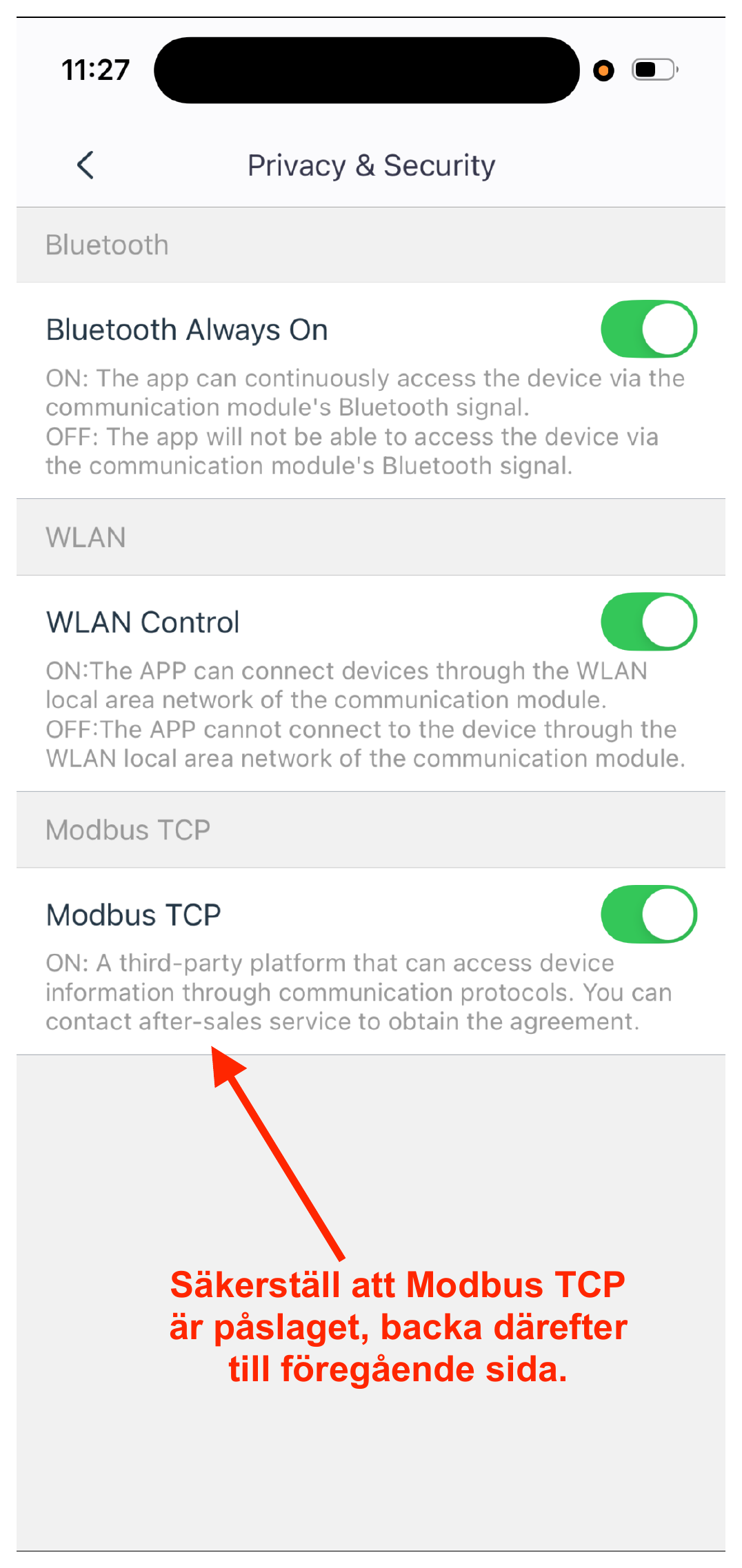
- 4
Back in Communication Settings, tap “RS485”.
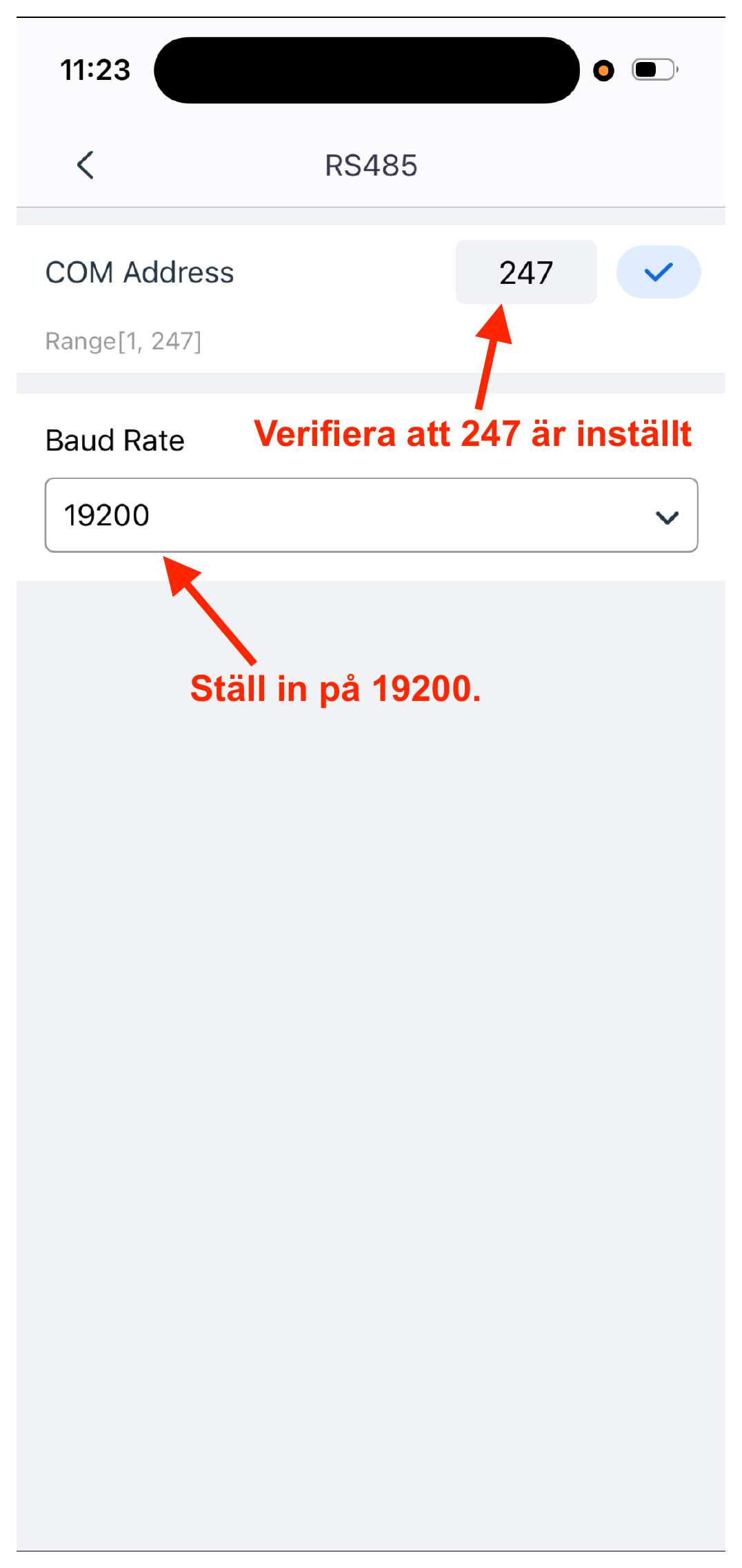
- 5
Verify that COM Address is set to 247 and set Baud Rate to 19200.