Personal energy trader
Fronius GEN24 & Verto
This guide shows how to enable Modbus TCP and the Solar API in Fronius Solar.web so that Spotpilot can communicate with your inverter. The screenshots are from the Swedish interface.
- 1
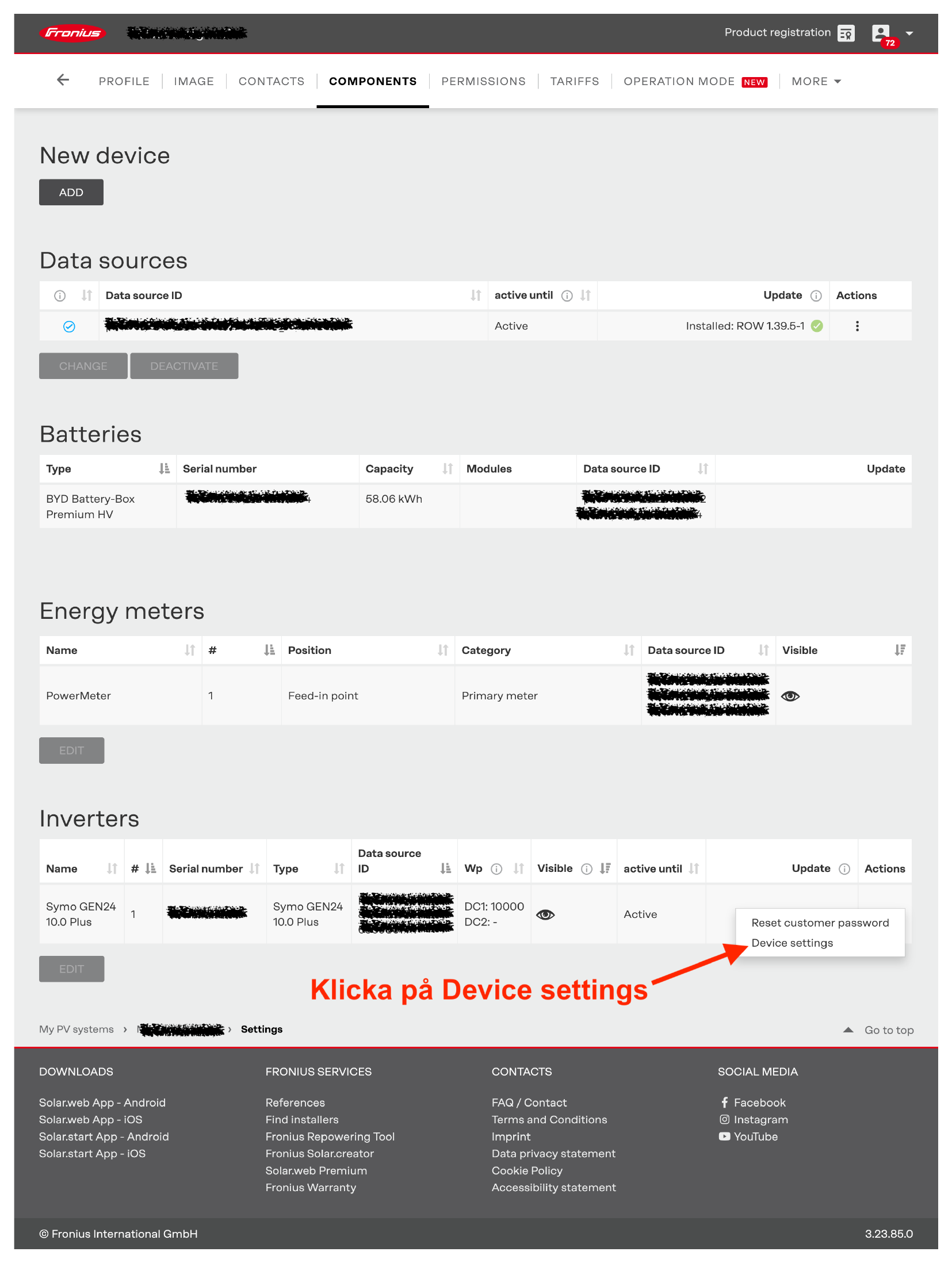
In Solar.web, open your system and go to the COMPONENTS tab. Find your inverter, open its actions menu and choose “Device settings”.
- 2
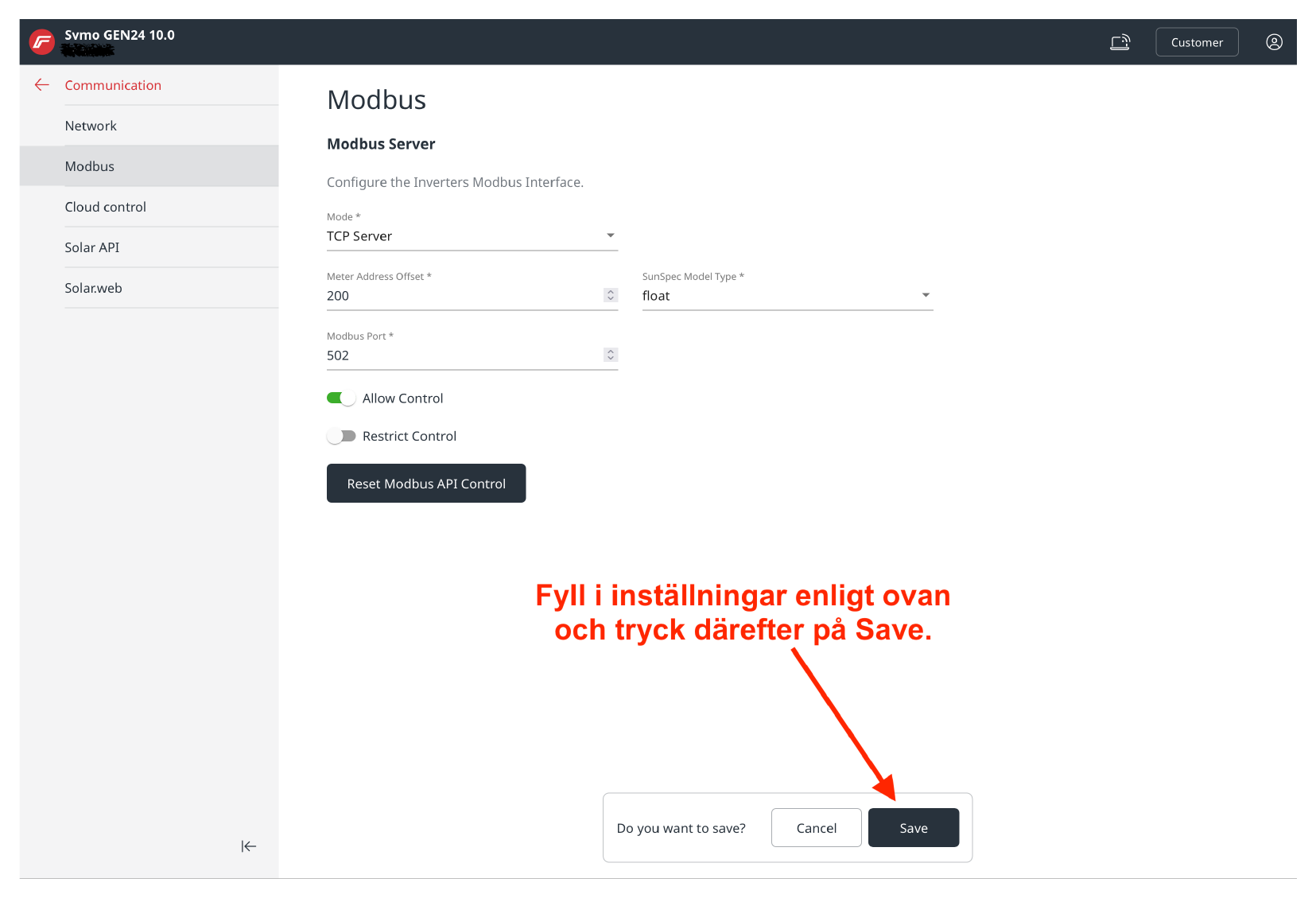
Under Communication → Modbus, set Mode to “TCP Server”, Meter Address Offset to 200 and Modbus Port to 502. Turn on “Allow Control” and leave “Restrict Control” off, then press Save.
- 3
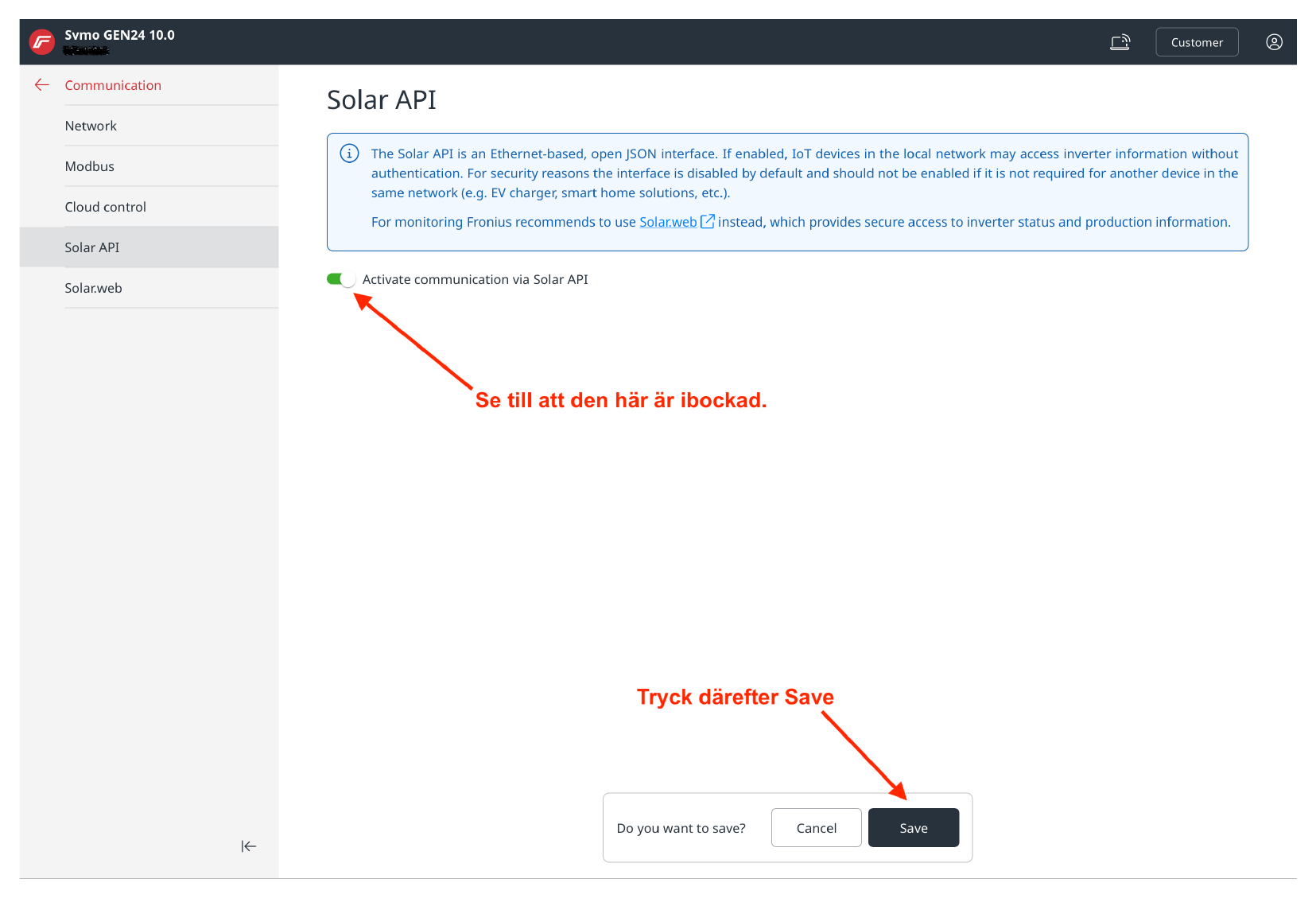
Open “Solar API” and make sure “Activate communication via Solar API” is enabled, then press Save.